
 Search
Build your own webpage
Use a combination of our website assets to add CareCredit financing information to your website in a flexible way. Whether you create a complete financing page or select individual assets, the options below can help you create a CareCredit presence that works for your website.
Important: Use CareCredit-approved copy and assets as provided, including any required disclosures.
1Dedicated CareCredit financing page
Use a variety of our website assets to create a standalone page focused entirely on CareCredit financing. This gives patients or clients an easy-to-find destination and may be a good option if you want to feature CareCredit more prominently as a financing option.
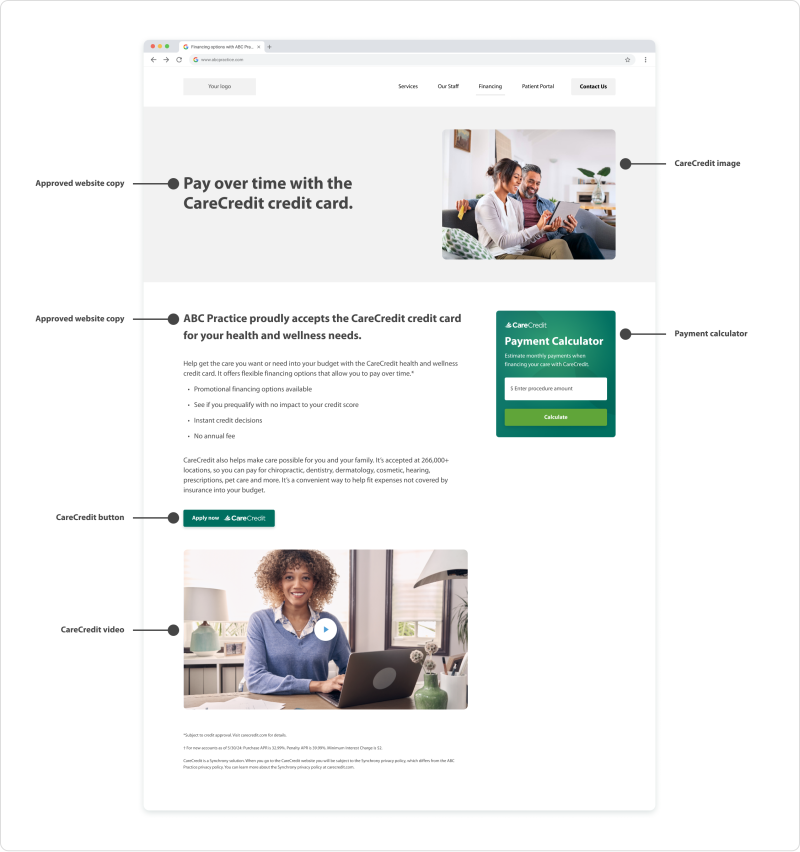
All assets used in the dedicated CareCredit financing page example are linked below.
Approved copy Payment Calculator Buttons Images Videos
2Shared financing page
Use our website assets to add CareCredit to an existing page that covers your payment and financing options. This keeps the information streamlined and may be a good option if you already have a general “Financing” or “Payment Options” page. It allows you to include CareCredit without creating a new page.
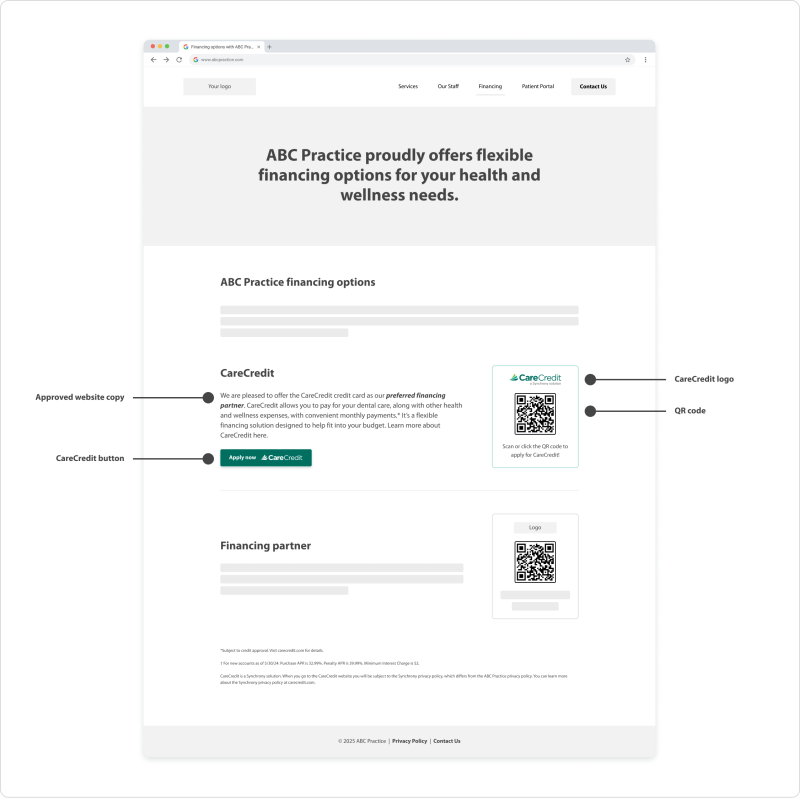
All assets used in the shared financing page example are linked below.
Approved copy QR Code CareCredit logo Buttons3Individual assets and components
Place website assets—such as banners, buttons, and widgets—throughout your website, including on your homepage, footer, or services page. This approach can help increase CareCredit visibility across your site without requiring a dedicated financing page.
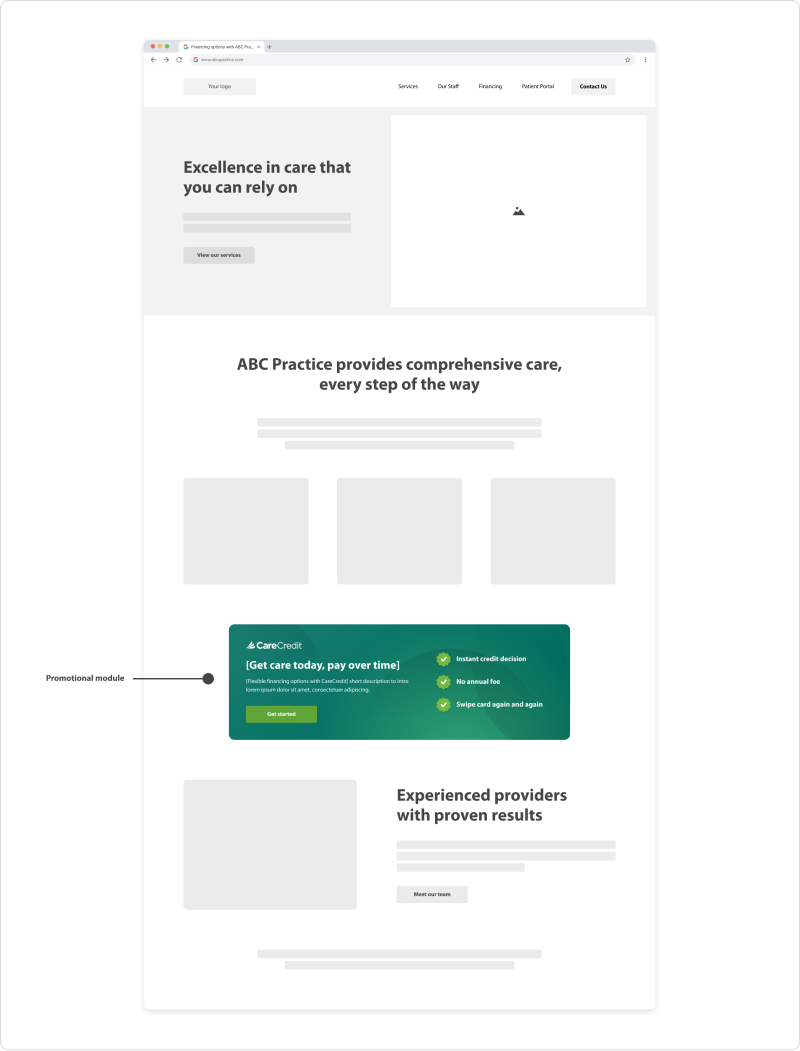
All assets used in the individual assets and components example are linked below.
Promotional moduleNeed more help?


Call Support
(800) 859-9975
Option 1, then 6, Monday – Friday: 8:00 AM – 6:30 PM (EST)
For other inquiries, follow the prompts:
Monday – Saturday: 7:30 AM – 2:00 AM (EST), Sunday: 9:00 AM – 2:00 AM (EST)